Which running platforms can you connect to an AI assistant?
A runner’s guide to MCP connections, watch data and workout scheduling

Reading the splits from Sunday’s long run and sending intervals to your watch for Tuesday are two different jobs. A service that does the first may have no way to do the second. If you’re choosing a Model Context Protocol (MCP) connection for your AI assistant, start with the job you want it to do.
Find your platform
Each entry names a route, the actions documented for it, and a source you can open. A developer API gives an app a way to reach data. You still need a compatible connector to use that data in an MCP conversation.
Platforms with published MCP setup guides
- COROS
- COROS connectorReview activity splits and recovery. Create or edit supported running and cycling workouts and plans, then sync them to a compatible watch.
- Suunto
- Suunto’s China serviceReview workouts, sleep, recovery and routes. The regional guide also describes saving a plan draft. Activating that draft on the calendar is a separate step. Availability outside this region is unconfirmed here.
Data available through an authorized app or watch
- Garmin
- Garmin Connect Personal APIA personal integration can read your activity and health data. Sending structured workouts to a watch requires a separate integration with Garmin’s Training API. Check which route your connector uses.
- Polar
- Polar AccessLinkAn authorized app can retrieve exercise, sleep and Nightly Recharge records from Polar Flow. For an MCP client, look for a connector that explicitly supports the record you want. Workout scheduling through that route is unverified.
- Apple Health
- HealthKit on iPhoneAn iPhone app requests access by data type. For a hosted connector, check which records leave the phone and which organization receives them. Writes depend on the specific app and permissions.
- Android Health Connect
- On-device app integrationAn Android app can read or write permitted record types. A connector that reads runs may have no tool for adding a workout. Check its tool list and the permissions on your phone.
- Google Health / Fitbit
- Google Health cloud APIAuthorized apps can use Google OAuth to access supported Fitbit and Pixel Watch data. Google’s developer MCP searches documentation. Use that connector for API questions. An app authorized to access athlete data is needed to review a run.
- Oura
- Oura account authorizationFor API integrations, authorize a registered app with OAuth. Oura’s agreement also describes a company-operated MCP server. A public setup path and its write tools are unverified here.
- Runna
- Completed runs via a connected watchIf a compatible watch records your Runna session, a connector for the watch platform may retrieve the completed activity. The recording alone does not include the reasoning behind your next Runna session. Writing back to the Runna plan is unverified.
Community projects and partner resources
- WHOOP
- Community connectorThe linked self-hosted project describes retrieving sleep, recovery, strain and workouts. Those are the maintainer’s documented capabilities. Write access through this connector is unverified.
- TrainingPeaks
- Unofficial self-hosted connectorThe maintainer describes reading training metrics and creating structured workouts through a signed-in session. Choose this route only if you are comfortable entrusting that session to the software you run.
- Nike Run Club
- Community connectorThe linked project describes reading run history, pace and GPS through an undocumented interface. Changes to that interface can affect availability. The project documents a read-only route.
- adidas Running
- Partner API repositoryThe public repository identifies a partner API project. It gives an individual runner no documented MCP setup or list of actions, so read and write access through a connector remain unverified.
When you want the next workout on your watch
COROS gives runners a direct path from reviewing training to creating supported workouts. That matters if you want Tuesday’s intervals on your wrist. With Garmin, look for a service that explicitly supports sending workouts through the Training API. With Suunto’s documented China service, you can save a draft for review. Check where a proposed workout will end up before asking the assistant to schedule it. COROS connector · Garmin Training API · Suunto guide
If an older connection has stopped working
Google ended developer support for the Fitbit Web API on September 30, 2026 and switched off the legacy API and Fitbit OAuth endpoints on November 2. An integration that used them needs to migrate to the Google Health API and Google OAuth. On Android, Health Connect is a separate, on-device path that depends on which apps share records with it. Google’s migration timeline
For Oura, older setup guides may ask for a personal access token. Oura labels those tokens deprecated. Start with the connector operator’s current instructions, check which organization is requesting access, and authorize the registered application through Oura. Oura’s own MCP agreement describes its server separately from third-party applications. Oura developer documentation · Oura API and MCP agreement
What a connected training record looks like in NexRex
NexRex offers its own MCP connection. An athlete can review recent activities and a training plan. A coach can ask about the athletes who share data with them. The diagram shows one example using Grok Bot.
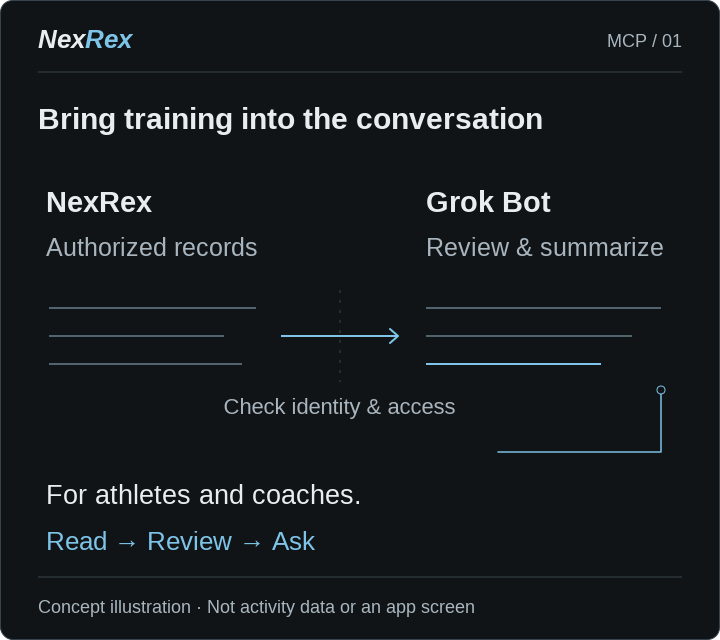
For a first query, pick a run you remember and compare the answer with your activity log. Then try a coach’s weekly check-in or a solo runner’s training review.