Running coaching software compared: NexRex and five alternatives
Compare six running coaching products by how you plan workouts, review a roster, train with a watch, and pay as your club grows.
On Monday morning, a coach might have two questions about the weekend. Why did one runner slow down on the last three intervals? And how is the runner who missed Sunday’s long run doing? TrainingPeaks gives the coach a close look at those intervals. The second question often starts with a conversation.
We’re the team behind NexRex, a newcomer to running software. We admire how much thought these teams have put into different parts of training, from V.O2’s pacing for a mixed-ability squad to Garmin’s guidance on a runner’s wrist. Our focus is personalization over time. Two runners can share a finish-line goal and need very different weeks to get there. We’re building NexRex to help runners and their coaches bring the plan, the training history, and the runner’s own words into the same conversation. That’s where we think we can help both do their best work.
Which product fits your training?
- NexRex
- Decide who needs a check-inReview the attention queue, weekly recaps, and message drafts.
- TrainingPeaks
- Analyze a workoutCompare laps and overlay pace, elevation, and heart rate.
- Final Surge
- Coordinate team training on a budgetShare schedules, comment on workouts, and message the team.
- V.O2
- Set individual paces for a group sessionAssign VDOT pace targets and compare each runner’s splits with the plan.
- Runna
- Follow a guided race planUse audio cues during runs and review suggested pace changes.
- Garmin Run Coach
- Train with a Garmin you already ownGet daily adaptive workouts on a compatible watch.
Four platforms for coaches and clubs
NexRex layers a coach’s review onto the training calendar
A coach can build a workout library, organize runners by goal or ability, and assign a group plan. For a club preparing for a half marathon, that means the coach can start with a shared week, inspect each athlete’s planned pace, and review suggested changes before publishing. Athletes can add their own account of the run. In the iOS app, a runner can keep a reflection private or share it with their coach. NexRex coaching workflow · iOS release history
The distinctive part comes after the workouts. Rex combines available signals such as missed sessions, recent load, sleep, and athlete feedback into an attention queue. The weekly brief gives reasons to open individual profiles, including positive ones. A coach can read the history, edit a check-in draft, and message one runner, or broadcast a change that affects the group. For example, a missed long run and a note about travel call for a different reply than the same missed run accompanied by a report of soreness. Coach dashboard and weekly brief
The free tier covers workout building, individual plan assignment, and one-to-one messaging for five runners. Group plans, AI recaps, the attention queue, and broadcasts are paid Coach features. A club that delegates follow-up to assistant coaches needs the Club tier. NexRex plan comparison
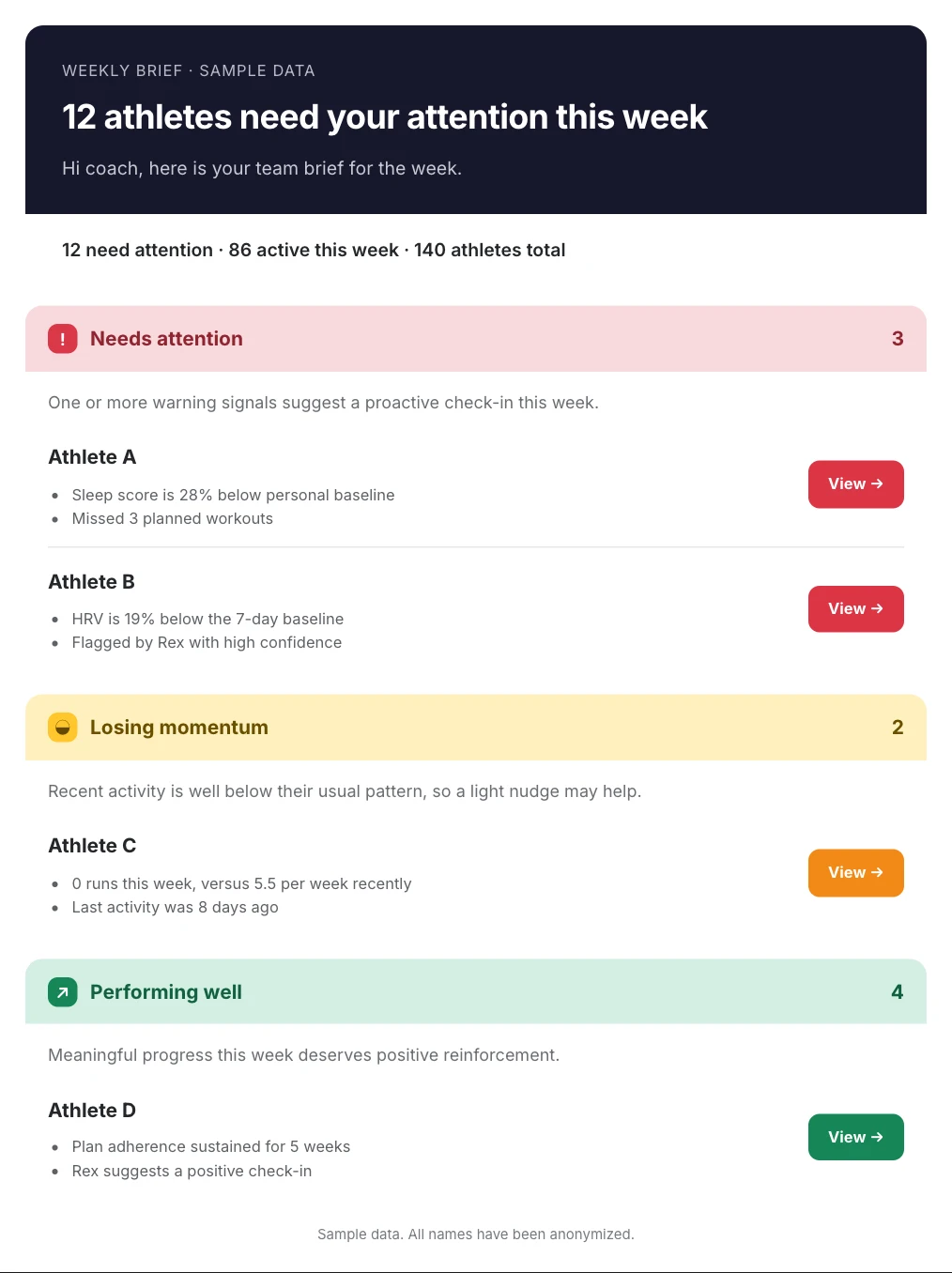
In NexRex’s public sample brief, Athlete A has missed three planned workouts and has a lower sleep score than usual. Athlete D has kept up with training for five weeks. One might need a question, the other a word of encouragement. The figures are illustrative. Original sample
TrainingPeaks connects the prescription, the workout file, and the training block
A coach can use the calendar and structured workout builder to prescribe a warm-up, a set of intervals, and recoveries with targets appropriate to the athlete. With Garmin AutoSync, eligible sessions in the next 15 days go to Garmin Connect. If the coach moves Thursday’s intervals to Friday or changes a target, the edit carries through when the watch syncs. Correct athlete thresholds matter because they determine the targets that appear on the device. TrainingPeaks athlete guide · Garmin AutoSync guide
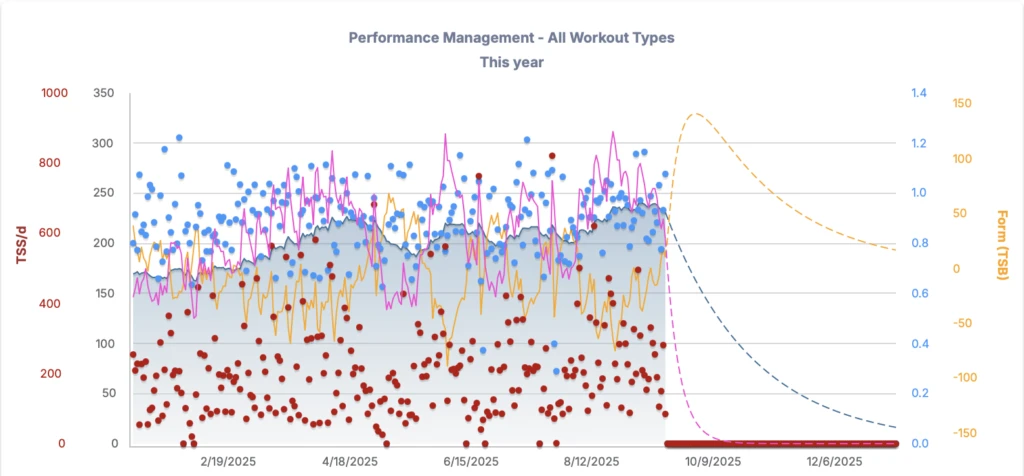
Once the run uploads, Analyze 360 lets a coach overlay up to five data channels, isolate a section of the file as a custom lap, and compare repetitions. Suppose the last three reps were slower. Looking at pace, elevation, and heart rate together can reveal whether they were also the uphill reps. A coach can then zoom out to the Performance Management Chart, which models Fitness, Fatigue, and Form from training load. The chart gives context for the training block, while the laps answer a question about that particular run. Lap comparison, automatic interval detection, and custom chart views require athlete Premium. Analyze 360 · How TrainingPeaks calculates Form
Final Surge handles the practical work of running a team
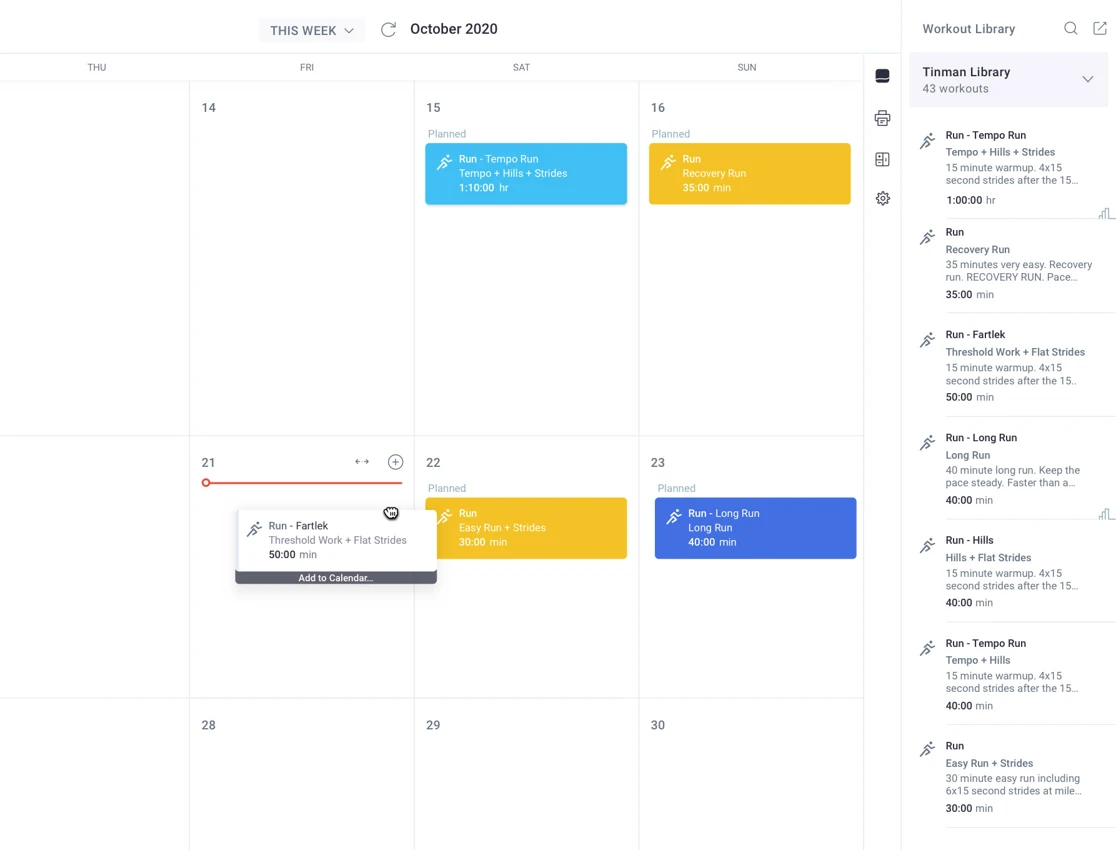
For Tuesday track practice, a coach can drag a session from the workout library onto athlete calendars, attach a drill video, and copy the week when the squad repeats the block. The builder supports pace, heart-rate, and power targets within a workout. A multi-calendar view lets the coach see several training groups side by side. At practice, the attendance roster supports a manual roll call or location-based athlete check-in. Attendance answers a different question from the workout file: someone can show up, warm up, and decide to sit out the reps. Final Surge coaching tools
Afterward, the coach can inspect time in training zones and discuss a specific rep in the workout comments. An athlete can log where something hurt, its severity, and how long it lasted in the Pain and Injury Report. A change of venue can go to the team mailbox, while the private team wall gives runners a place to post and discuss their own sessions. Those tools suit a club that wants to keep workout instructions, attendance, and replies together. Athletes considering additional features such as morning readiness or route building should check the separate Athlete Premium offering. Final Surge feature guide
V.O2 gives each runner a target for the same session
V.O2 builds its prescription around VDOT, an estimate of current running fitness. A recent race or time trial gives the coach a starting point. Two athletes can do the same threshold set on the same track and see different target paces. When the coach prefers heart rate, V.O2 can convert the prescribed effort into a zone and send a compatible session to Garmin, COROS, or Apple Watch. The watch supplies the heart-rate range for that zone, so its settings matter. V.O2 training FAQ · Pace and heart-rate targets
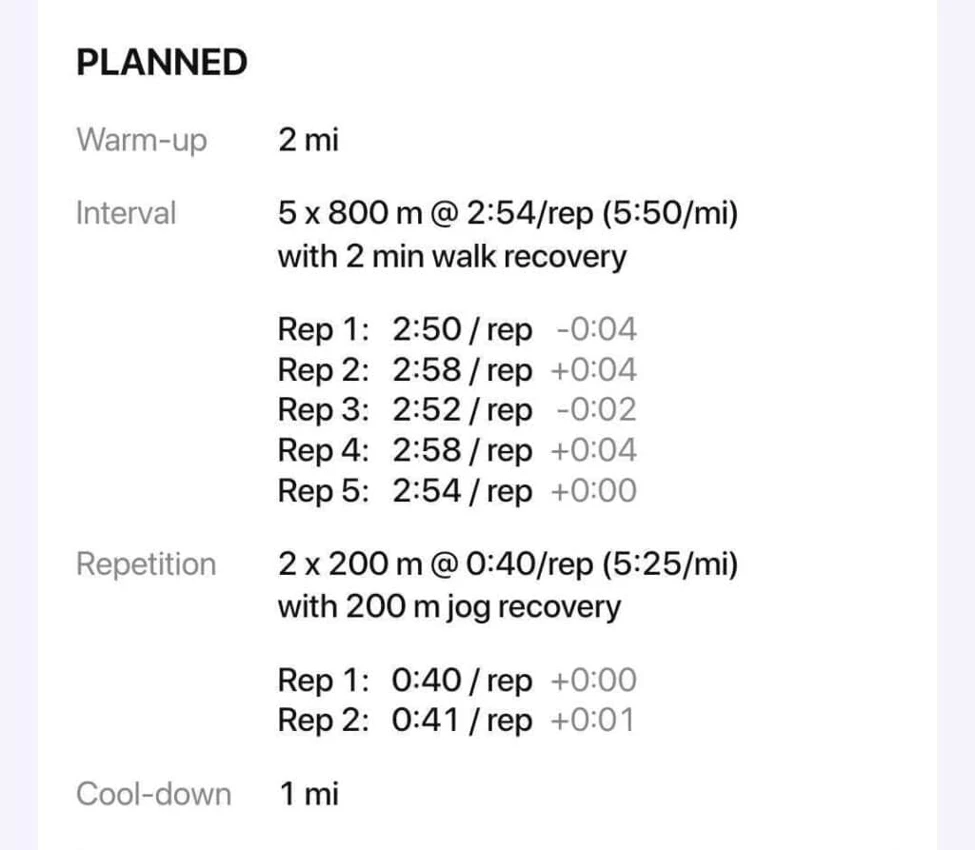
After the session, Workout Accuracy compares recorded splits with the prescription and scores pace and distance separately. An easy run can finish inside its target average even though the runner raced the final mile. Scoring the splits individually makes that visible. The coach can correct the splits if the runner shortened the warm-up and GPS detection put the first rep in the wrong place. One important distinction for buyers comparing adaptive plans: completing a fast workout does not automatically raise the runner’s VDOT. A saved race result or manual update changes the training paces. Workout Accuracy explained · When VDOT updates
How much does coaching software cost at each roster size?
Monthly totals in US dollars for one coach, checked November 22, 2026. Find your roster size to compare what each platform charges for the whole group. The figures exclude tax, promotions, and optional athlete upgrades.
| Roster size | NexRex | TrainingPeaks | Final Surge | V.O2 |
|---|---|---|---|---|
| 5 runners | $0 core | $21.99 | $19 | $29.99 |
| 20 runners | $99 | $54.99 | $39 | $29.99 |
| 100 runners | $99 | $54.99 | $39 | $39.99 |
| 200 runners | $399 | $54.99 | Contact sales | $49.99 |
TrainingPeaks includes one Premium athlete in each coach tier shown. The $21.99 tier adds four Basic athletes and the $54.99 tier allows unlimited Basic athletes. Extra coach-paid Premium seats and a listed $99 activation fee can change the bill. NexRex charges $99 for Coach features even with a small roster. Adding a second coach requires Club, which costs $399 per month and covers up to 300 runners. Final Surge quotes separately above 100 athletes. TrainingPeaks billing · NexRex tiers · Final Surge tiers · V.O2 tiers
For a 20-runner club, the difference between NexRex Coach and Final Surge is $60 a month. If an hour of your review time is worth $40, NexRex would have to save you 90 minutes per month to cover the difference through time alone. That’s a break-even calculation. During a trial, time a normal weekly review and count how many suggested messages you would actually send. A club approaching 101 runners should do the calculation again at the higher NexRex tier.
If you’re choosing a plan for yourself
Garmin Run Coach builds the week around the runner and the watch
In Garmin Connect, you can select a race or milestone, enter current weekly distance and pace, choose available training days, and designate a preferred long-run day. Run Coach supports goals from 5K through the marathon and custom distances, with plans spanning 6–52 weeks. The watch delivers the day’s session, and Garmin adjusts upcoming work using performance and health data. You can choose pace or heart-rate targets. On models that support the automatic target setting, an easy base run can use heart rate while a tempo session uses pace. Garmin running plan guide
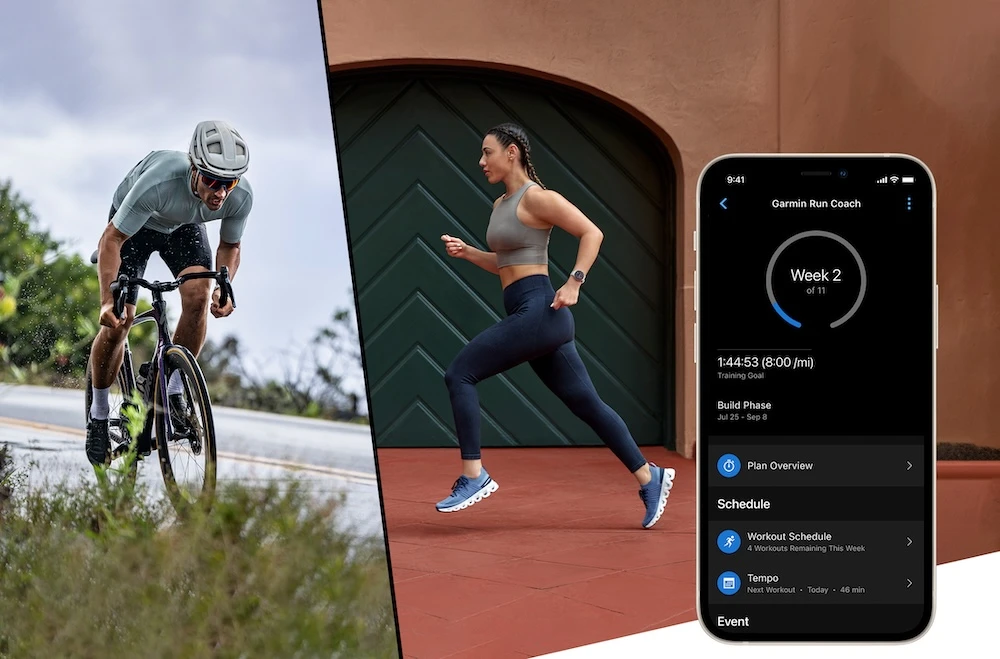
The distinction between Run Coach and Expert Running Plans matters if your schedule changes often. Run Coach adapts the plan and gives you no manual control to move an individual session. Expert Running Plans let you reschedule, use benchmark runs to adjust difficulty, and offer a choice of coaching approaches, including Jeff Galloway’s run/walk method. Model support differs too: a Forerunner 55 supports Expert plans, a 165 adds Run Coach, and a 265 also supports supplemental strength sessions. For someone who already owns a compatible watch, the base training plan adds no subscription cost. Plan types and model compatibility · Included Garmin features
Runna pairs guided race workouts with strength sessions
Runna starts with your race goal, experience, and schedule. The plan gives each running session a purpose and can guide paced reps with audio cues on a phone or compatible watch. You can also build strength work into the same calendar by choosing your experience level, equipment, session length, and available days. For example, a runner with 30 minutes and dumbbells can set those preferences, then move a strength session if it conflicts with the long run. Exercise animations and technique tips are available during the session. Runna plans · Audio cues · Strength training setup
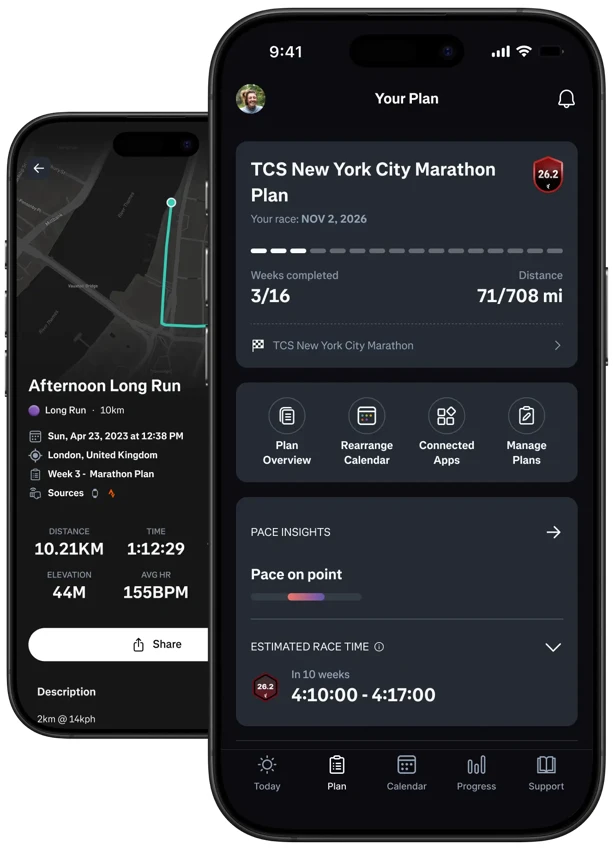
After eligible paced workouts, Pace Insights looks for a pattern across target and actual paces. If you consistently finish speed sessions ahead of target, Runna can suggest faster training paces. Accepting updates the pace targets across the plan and retains its workout structure. You can decline, which is useful if unusual conditions affected the session. Mixed results can leave the app waiting for more data. Pace Insights excludes the New to Running, Return to Running, and Path to parkrun plans, so a beginner choosing Runna for its guided sessions should expect a different feedback experience. Standalone US pricing is $19.99 per month or $119.99 per year. How Pace Insights works · Runna pricing
Where NexRex fits for a solo runner
NexRex also serves an individual runner who wants to keep a training history, log soreness, and discuss selected sessions with a coach. For example, the iOS app lets you keep a run reflection private or share it with your coach. Self-coached Pro is listed at $12 per month. If all you want is tomorrow’s workout on a compatible Garmin, try the included plan before adding a subscription. NexRex athlete features · iOS release history · Athlete pricing
Will Tuesday’s intervals reach your watch?
Ask about both directions. Can the app send the planned warm-up, reps, recoveries, and target paces to your watch? After you finish, can your coach see what you ran?
For example, NexRex documents structured workout delivery to Garmin and incoming COROS activities through Strava. A runner who needs prescribed intervals on a COROS watch should verify outbound delivery separately. V.O2 explicitly documents sending compatible pace or heart-rate workouts to COROS, Garmin, and Apple watches. Final Surge documents planned structured workouts for Garmin Connect and Apple Watch. NexRex device FAQ · V.O2 watch targets · Final Surge devices
Which one belongs on your shortlist?
For a club, try the two products that answer your most frequent coaching question. If that question is “Who needs a check-in?”, compare NexRex with the system you use today. If it’s “How did each runner handle the reps?”, try V.O2 for individual pace targets or TrainingPeaks for lap analysis. If everyone needs the schedule, a place to leave feedback, and an affordable team account, start with Final Surge.
For an individual, try one ordinary training week on the device you actually carry. Include an interval day and a day when your schedule changes. By Sunday you’ll know whether the targets arrived, whether the guidance made sense mid-run, and how much work it took to change your plans. The right fit is the one you’ll keep using as your goals, your schedule, and your running change.