Five ways solo runners can use MCP to review their training
Bring your own runs, race history and notes into the next decision

Before your next race, you might remember the finish time perfectly and still have to hunt for the note about breakfast. Model Context Protocol (MCP) lets an AI assistant look up training records in your NexRex account. You can bring the things only you remember into the same conversation.
New to MCP? Connect your NexRex account, then try one question with a training week you remember.
1. See how the week actually unfolded
Ask “Compare this week’s planned runs with my recorded activities. Show distance and time, and list sessions you couldn’t match.” If you moved Wednesday’s easy run to Thursday, tell the assistant. Otherwise, the same run might appear as both an extra activity and an empty space on the plan.
2. Check the context before an interval session
When you wake up tired, ask “Show today’s workout, the last seven days of running, and any available sleep or soreness records. Which days are missing data?” Read that summary alongside how you feel this morning. It gives you a place to start deciding whether an easy day fits better.
3. Put a race prediction beside recent training
Ask “Retrieve my current half-marathon prediction. Alongside it, list my last three long runs with dates and distances.” The first number is the NexRex estimate. The runs give you context for deciding how ambitious that pace feels, particularly if work or travel has interrupted the last few weeks.
4. Review what you recorded around long runs
If you log meals in NexRex Pro, try “Compare my two longest runs this month with the meals I logged on those days. Show what I recorded before and after each run, and flag gaps.” A missing dinner entry tells you something about the completeness of the log. You can fill in what you remember before looking for a pattern in fueling.
5. Bring a lesson from your last race to the start line
Open your race history to pick the event, then ask for its recorded date, result and any available activity details. In the demo Runner’s Atlas below, Berlin is selected. The map gives you a way back to a place you ran.
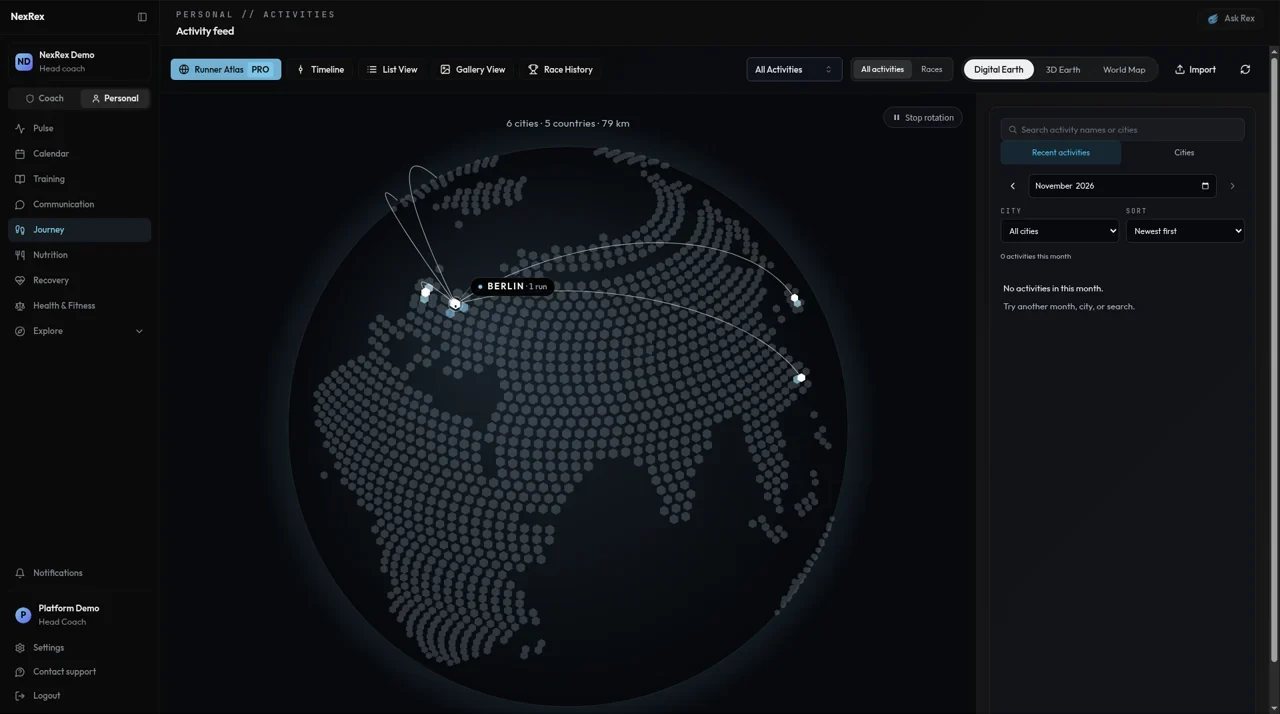
Suppose your own post-race note says “Breakfast felt rushed before the start.” If the note is in another app, paste it into the conversation. Ask “Using this note and the recorded start time, draft one question for my next race checklist.” A useful result might be “What time do I need to eat breakfast before I leave for the start?” That’s a lesson a finish time alone can’t bring back.
Connect your account
Add https://mcp.nexrex.ai/mcp in a compatible AI app, sign in to NexRex, and review the requested permissions. Ask “Which NexRex account am I connected to?” before asking about training. The assistant can retrieve records available to that account. For coaches, each athlete’s sharing settings also apply. Your AI provider handles the records it receives under its own terms.
Read access is enough for the examples here. Some apps request write access during setup, others when you first need it. Approval prompts for calendar changes depend on the client and any tools you have set to always allow. NexRex setup guide and tool permissions
For a first check, ask the assistant to use get_activities and return the date and distance of a recent run you remember. Compare both with the same activity in NexRex before asking for a whole week. If it is missing, check the date range and whether the activity has synced.